
Josep Garcés · LiveLoop Set Up
Josep Garcés’ LiveLoop Live Looping Setup
My name’s Josep, I’m originally from Spain where I graduated my Bachelors in Industrial Design Engineering and moved to the Netherlands to work as a R&D engineer. 5 years ago I quit my job to after getting accepted at the masters of music at the Conservatory of Amsterdam in the specialization of Live Electronics and I started developing a new software tool that will revolutionize the way we perform music in the future. My Master Thesis project was about the on growing musical technique called “live looping” and I developed the most advanced tool and only software dedicated for this technique called LiveLoop.
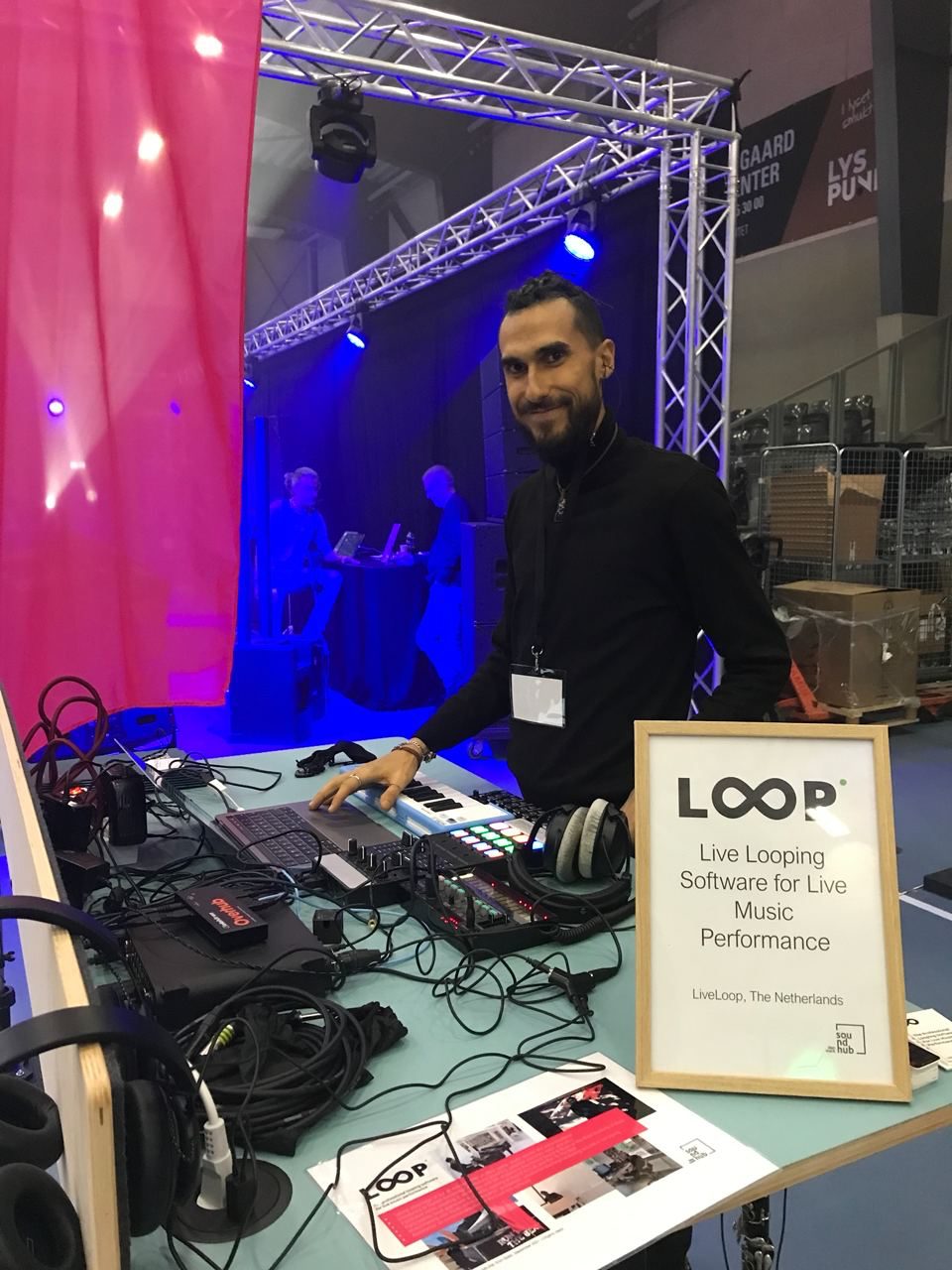
About LiveLoop
LiveLoop introduces a professional looping software for live music performance, designed to expand the possibilities of the looping technique. Musicians compose and play multi-layered performances build on multiple musical-phrase-recordings played back in real time. With LiveLoop, artists can compose and perform in real time as a one-man band. LiveLoop offers a unique product for professional and beginner musicians, through an intuitive and easy-to-use software which eliminates the need for equipment and is available at an affordable price. The software provides versatility and comprehensive features, empowering the users to compose with maximum creativity.
LiveLoop solves the limitations of the most popular looping hardware and software solutions available on the market, by simplifying and improving the technical steps required to perform
The innovative aspect of LiveLoop stands out through its simple and customizable set up for controlling the tracks, and the unique feature allowing users to record on 16 tracks, and record even more layers on each of these tracks, also known as overdub.
LiveLoop breaks into a new educational segment by addressing the growing electronic and looping culture with few competitors. LiveLoop will revolutionise the electronic music education and industry by introducing a new innovative looping software technology, with new functions which have never been available in the market in any conventional loopers.
Q&A about my set up
1. When It comes to building a liveset, how are you going to plan your performance? In terms of the physical setup and the tech part.
Software: LiveLoop (www.liveloop.live)
When it comes to a live set, I always think of bringing less things as possible and go as light as possible.
For my shows I’ve prepared few songs that are saved as templates of LiveLoop. These songs mostly consist of some bass loops, melodies, riffs, that etc. that I record live during the performance. Therefore I normally use my standard setup unless I go full set up where I bring analog gear and I have visuals too, but those are only for bigger shows.
The basic gear I use for LiveLoop which I show in the picture as follows:
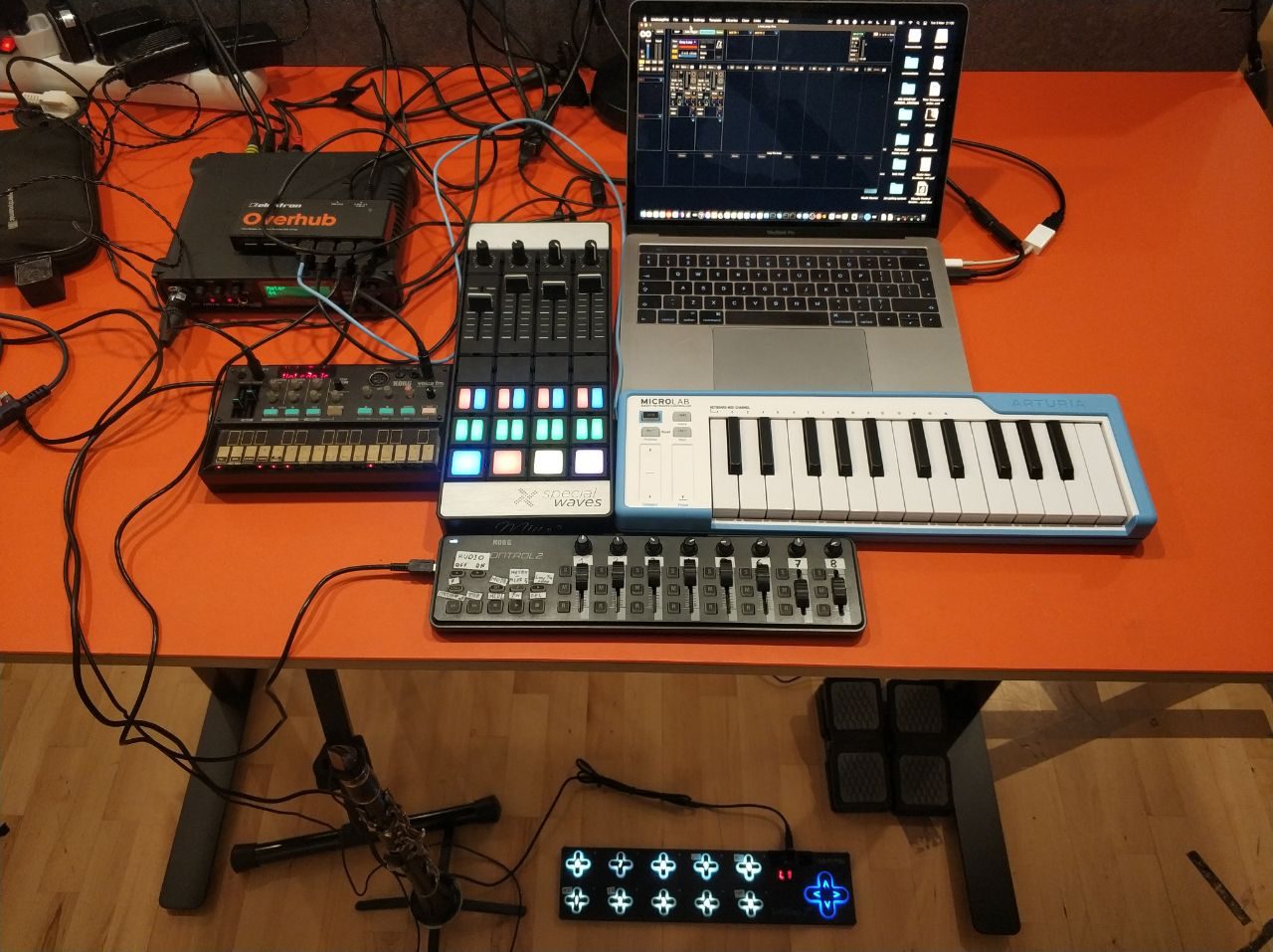
MIDI Controllers
Controlling LiveLoop
Korg nanoKONTROL2
Korg nanoKONTROL2 can control almost any feature of LiveLoop. So with this controller I can record, mix, change parameters and put FX. I recommend this controller if you are using LiveLoop as it does mostly what you need to record and plays all your loops.
Keith McMillen Instruments SoftStep 2
I love this controller and the reason I use is it because it’s the lightest foot pedal you can find and it’s very customizable. The materials are very strong, and I do believe it’s the best MIDI foot controller you can find right now on the market. Kudos to Keith McMillen who came with such fantastic idea.
Arturia MicroLab
I also to play keys and I tried different small size MIDI controllers. The MicroLab is not the smallest on the market but in my opinion if you search for a good response keyboard that feels good and sturdy, Arturia does the best.
Specialwaves MINE S
The reason I love this MIDI controller, it’s a very customizable one and also feels good quality. I use this controller for mapping the extra functions I use for each song, so for every template the same knob, or button can do different things.
Sound Interface
MOTU UltraLite-mk3
What I like of this sound interface is that is very compact, sturdy, and it has 8 inputs and 8 outputs, and I never had any problem with it. Still works as the first day.
External Instruments
Clarinet
I play Clarinet since I’m 8 years young. I’m classical, jazz, trained musician and I played in different styles. I use clarinet to play solos, melodies, even I have songs where only the clarinet is the main source of input.
Korg Volca FM
This little synthesizer it’s very fun to play and can do a huge variety of sounds.
Microphones
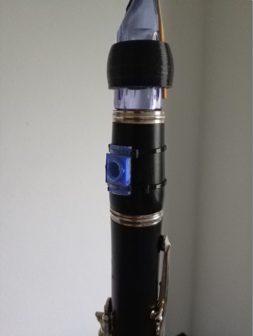
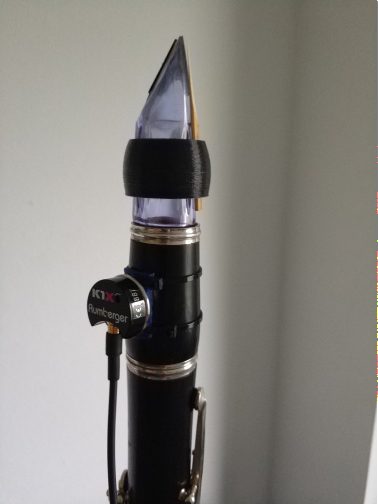
For Clarinet only Rumberger K1X Microphone
In matter to get rid of feedback during my shows, I use the K1X which is connected in the barrel of my clarinet, where I made a hole so the sound goes directly to LiveLoop.
2. What’s your philosophy in planning a live performance?
First, I’m playing for the love of music and to share that love and passion with my audience. Each performance is different, and every performance needs some thought and preparation. I have always prepared some templates with LiveLoop for the songs I mostly play but they might change styles, energy or even melodies from performance to performance.
I’m an improviser, that’s why I use LiveLoop, it gives me all the freedom and flexibility I need to play a full set.
I never eat before playing as keep my energy levels and focus up, and I do some meditation as well, so I will be concentrated during the performance.
3. What’s the best piece of advice you would give to a music producer/beginner who is new to liveset building?
I always stand for quality and portability. Really think well before they’ll do any purchase what is he going to need and how he wants to use it. Make a good research, watch reviews online, and if you have the chance try it in the shop. Building a live set is like building your own instruments and this really needs to be well thought.
For beginning, start small and you’ll develop it depending on your future needs, that they’ll change and evolve from time to time.
In addition, download and read the Manual, sometimes we get controllers that surprise us the stuff they can do.
Conclusion
LiveLoop is an intuitive & customisable professional looping software for live music performance, introducing new creative ways of composing and experimenting with sound. With LiveLoop, you can create professional live performances and recordings, all with one versatile interface. Loop multi-layered sounds and complex rhythms in real-time, quantized to the beat with a unique sync mode. LiveLoop Pro comes with a complex set of features, FX, and plug-in support such as VST and M4L.
LiveLoop is designed to look beyond the constraints of the now-available, specialized hardware and software, and offer an intuitive and customizable professional looping software for live music performance. The technology introduces new creative ways of composing and experimenting with sound, allowing users to create live performances and recordings all with one versatile interface, and loop multi-layered sounds and rhythms in real-time quantized to the beat with a unique sync mode.